Control your machine.
Not the other way around.
Notch is a digital wellbeing and attention-control app for Windows. Engineered to remove digital clutter at the process level, leaving you with only the work that matters.
Windows 10 / 11 (64-bit) · ~73.5 MB installer · Free & local-first

A calm, silent presence on Windows.
Built natively with PySide6 and the Win32 API. No Electron bloat, no resource hogging, and zero intrusive popups.
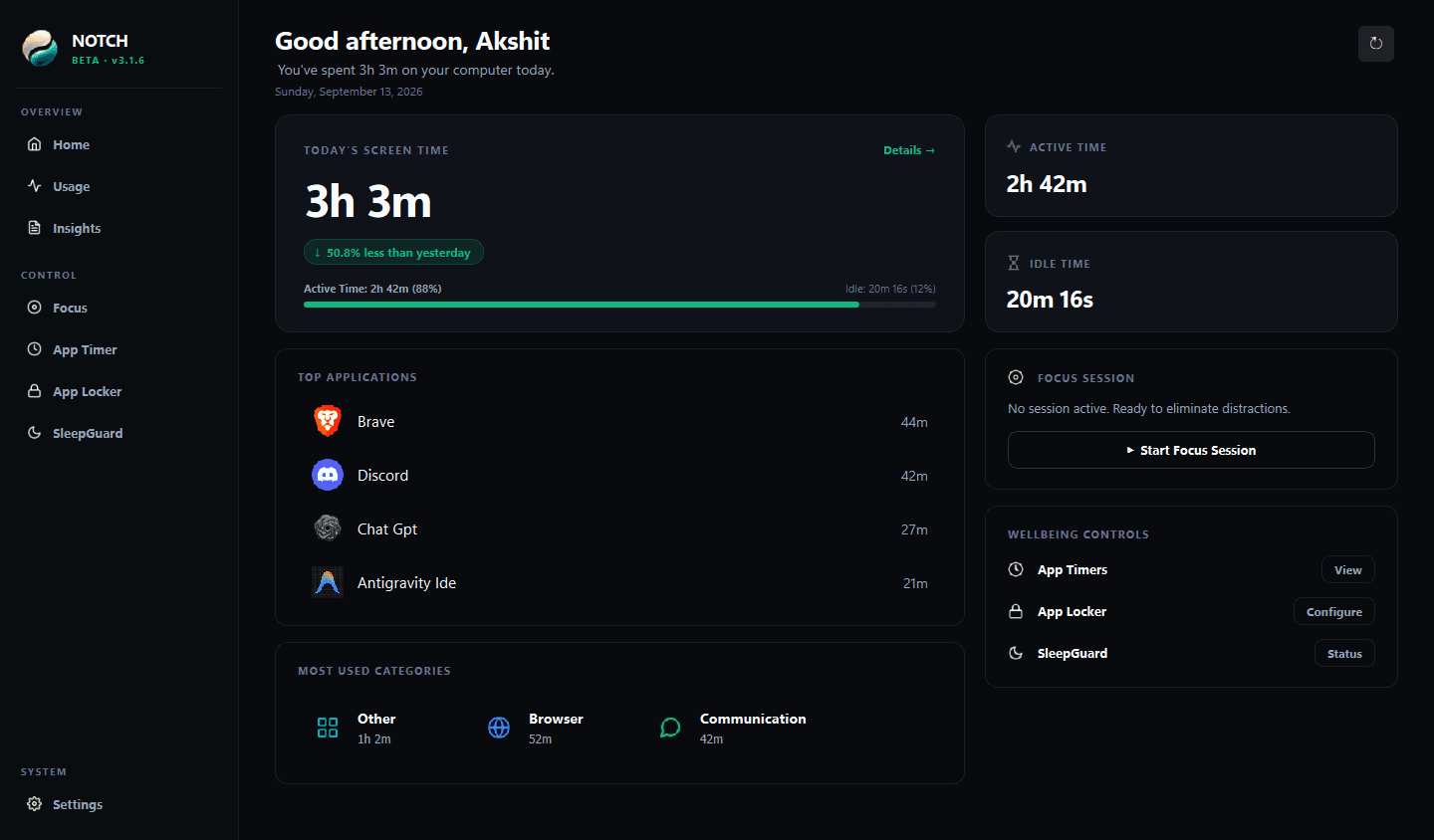
Engineered for focus. Tested for safety.
Explore the foundational capabilities engineered to give you control over your operating system.
Take distractions off the table. Completely.
A blocker asks you to negotiate with yourself every ten minutes. Notch's Focus Mode removes the option entirely at the Windows process level with profile presets (Study, Work, Movie, Deep Focus, Custom) and reversible hosts-based website distraction blocking.
Deep Focus Mode
Kernel-Level Process Interception & Website Blocking
Crafted for day and night.
Notch supports both Dark and Light themes. Engineered natively with clean typography, high-contrast analytics, and Mica acrylic aesthetics tailored for any ambient lighting.
Why conventional blockers fail.
Conventional website blockers ask you to negotiate with yourself every ten minutes. They rely on browser extensions you can disable in two clicks, and barrage you with patronizing "productivity scores".
Willpower is a finite resource. When you are mentally exhausted at 4:00 PM, you will click past an extension block every single time.
Notch operates on a mechanical principle: if the distracting application is locked or suspended at the process level, there is nothing left to negotiate. You return to your work because there is nothing else on the table.
Zero Friction Negotiation
Lock your game clients and social platforms into Deep Focus sessions. The barrier is physical and intentional, not psychological.
Protected Process Architecture
Windows system processes (`explorer.exe`, `dwm.exe`, background services) are strictly immune to termination, keeping your PC stable.
Circadian Sleep Guard
Prevents late-night passive video bingeing by safely sleeping the computer when user inactivity is verified.
Your data never leaves your hard drive.
Privacy is not a feature we toggle on. It is the fundamental architecture of Notch.
100% Local SQLite
Every application timestamp and session event is committed directly to a local SQLite database in your user folder.
No Telemetry or Tracking
No telemetry pings, no usage beacons, no analytics servers, and no third-party data broker partnerships.
No Account Required
The desktop app functions completely offline without sign-in, cloud sync, or remote dependencies.
Experience intentional computing.
Notch is free to download and local-first. No account, email signup, or cloud sync is required.
Windows 10 / Windows 11 (64-bit) · Independent Software · v3.1.6